# Verify RDesk is installed correctly
packageVersion("RDesk")
#> [1] '1.0.7'
# Check that the example app is bundled (if existing)
app_path <- system.file("templates/hello", package = "RDesk")
if (nzchar(app_path)) {
  file.exists(app_path)
}
#> [1] TRUE
Desktop Deployment for R
Data analysts build powerful tools in R, but sharing them with non-technical users is difficult. Shiny is excellent for web dashboards, but it requires a server and a steady network connection.
RDesk solves this by packaging your R code into a native desktop application. It runs as a standalone bundle/executable with zero network overhead and no server required.
1. Installation
RDesk works out-of-the-box on modern systems (Windows, macOS, and Linux). You only need R and a C++ compiler/toolchain (like Rtools on Windows, Xcode Command Line Tools on macOS, or GCC/clang on Linux) installed.
# Install from CRAN
install.packages("RDesk")
library(RDesk)
2. Your First App (Automated Scaffolding)
The fastest way to build an RDesk application is using the built-in scaffolding tool. This generates a functional dashboard template featuring a sidebar, KPI cards, and an asynchronous charting engine.
library(RDesk)

# Create a dashboard template in a new directory
RDesk::rdesk_create_app("MyDashboard")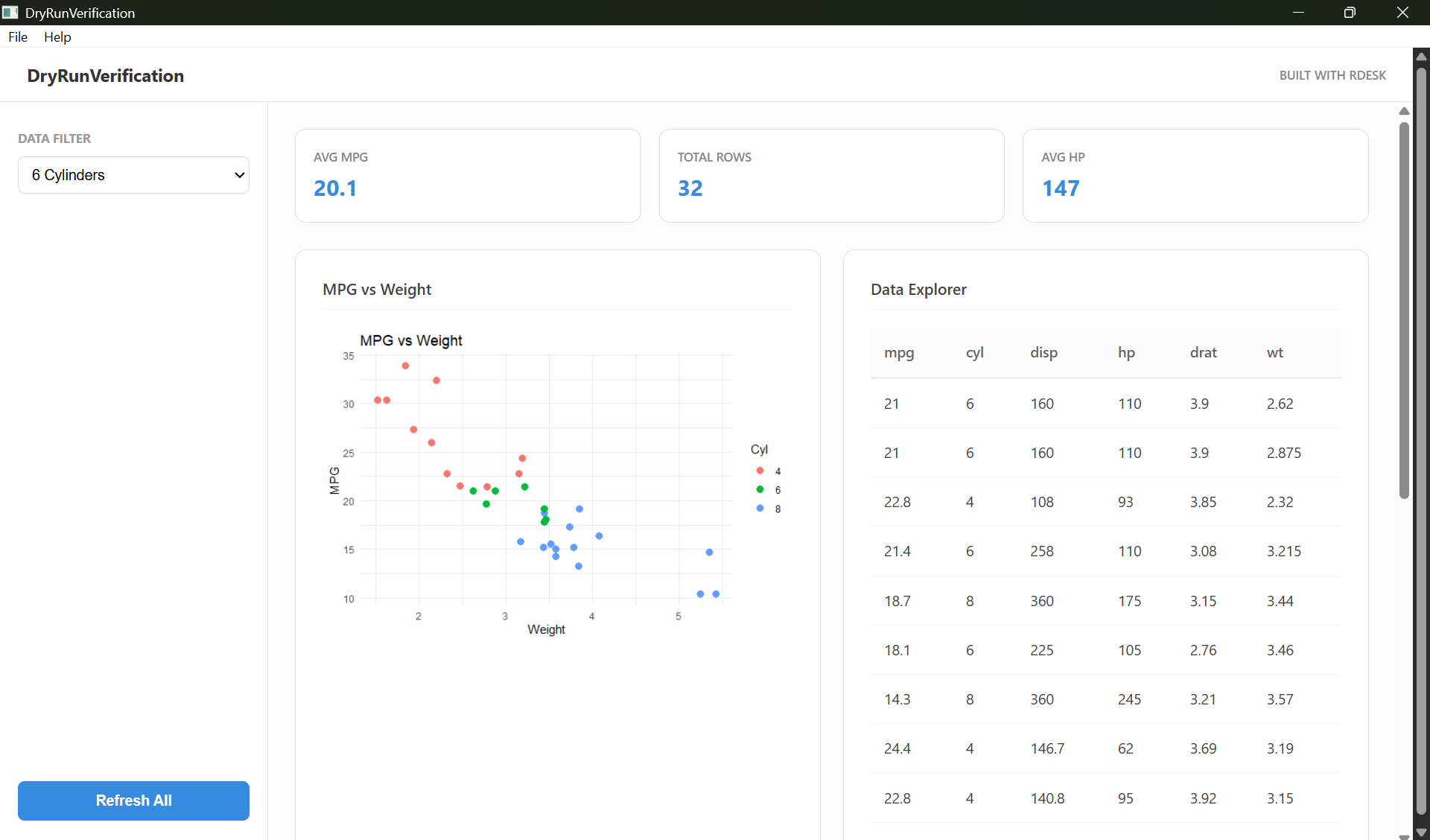
Navigate to the MyDashboard folder and run
app.R to see the results.
3. Building a Standalone Executable
The core value of RDesk is the ability to turn your R code into a
standalone .exe that runs on any machine without requiring
a pre-installed R version.
First build note: RDesk copies the active R runtime and already-installed package dependencies into the bundle. Install application dependencies in the development library before calling
build_app().
# Build a portable ZIP bundle
RDesk::build_app(
  app_dir  = "MyDashboard",
  app_name = "MyFirstApp"
)
The resulting .zip file in the dist/ folder
contains exactly what you need to distribute your tool. The end-user
simply unzips and runs MyFirstApp.exe.
Using renv for reproducibility
If your project uses renv, commit your
renv.lock in the project root. RDesk’s GitHub Actions
workflows will automatically restore from that lockfile before building.
Additionally, build_app() writes a bundle-level
renv.lock into each distributable when renv is
active.
4. Key Concepts
Next Steps
- Coming from Shiny - Map your existing Shiny knowledge to the RDesk mental model.
- Cookbook - Common recipes for file dialogs, charts, and native menus.
- Async Guide - Deep dive into background task management.